Egnyte and Microsoft 365 partner to provide a powerful integration that enables a seamless user experience across browsers and devices. This partnership provides smooth workflows for opening, editing, and saving Microsoft 365 files in Egnyte’s WebUI, mobile apps, and desktop clients.
Skip Ahead to...
Microsoft 365 Desktop
Microsoft 365 for the Web
Microsoft 365 Mobile
Egnyte for SharePoint Online
Microsoft 365 Desktop
With Egnyte’s Microsoft 365 Desktop Integration, users can easily collaborate with the co-authoring capabilities of Microsoft 365 applications. The integration allows multiple users to work concurrently on the same document.
Features
Co-editing in Desktop Apps
In certain instances, specific Microsoft features are exclusively available in the desktop versions of Microsoft 365 apps. In such cases, the users can co-edit the file using Microsoft 365 Desktop Apps.
Requirements
- A business or enterprise license is required to open a file in Microsoft 365 Desktop.
- Users require a Microsoft 365 Business Standard license or above.
OR
Enterprise 365 E3 subscription or above. - Microsoft licenses must allow for 365 Desktop Apps and they should be downloaded onto a user's machine.
- Users require a Microsoft 365 Business Standard license or above.
Resources
Microsoft 365 for the Web
Team members can collaborate in real-time using Microsoft 365 for the Web (Word, Excel, and PowerPoint) with the benefits of Egnyte’s secure and easy file-sharing solution.
Features
Co-Authoring
Multiple users can work on a document stored in Egnyte in real-time by utilizing Microsoft 365 for the Web. When multiple users have the same document open in Microsoft 365 for the web, they are able to edit and collaborate.
Although the file will have a lock icon, the file can be worked on in Microsoft 365 for the web if it was originally opened in Microsoft 365 for the Web.
Requirements
Admin permission enabled for Microsoft 365 for the web application
Microsoft 365 for Business subscription
Resources
Enable the Microsoft 365 for the web Integration
Edit Egnyte Files Using Microsoft 365 for the web
Microsoft Document Collaboration and Co-Authoring
Microsoft 365 Mobile
The Egnyte mobile application allows users to open, edit, and save Microsoft Word, PowerPoint, and Excel files on iOS, Android, and Windows Mobile devices.
Features
iOS Only
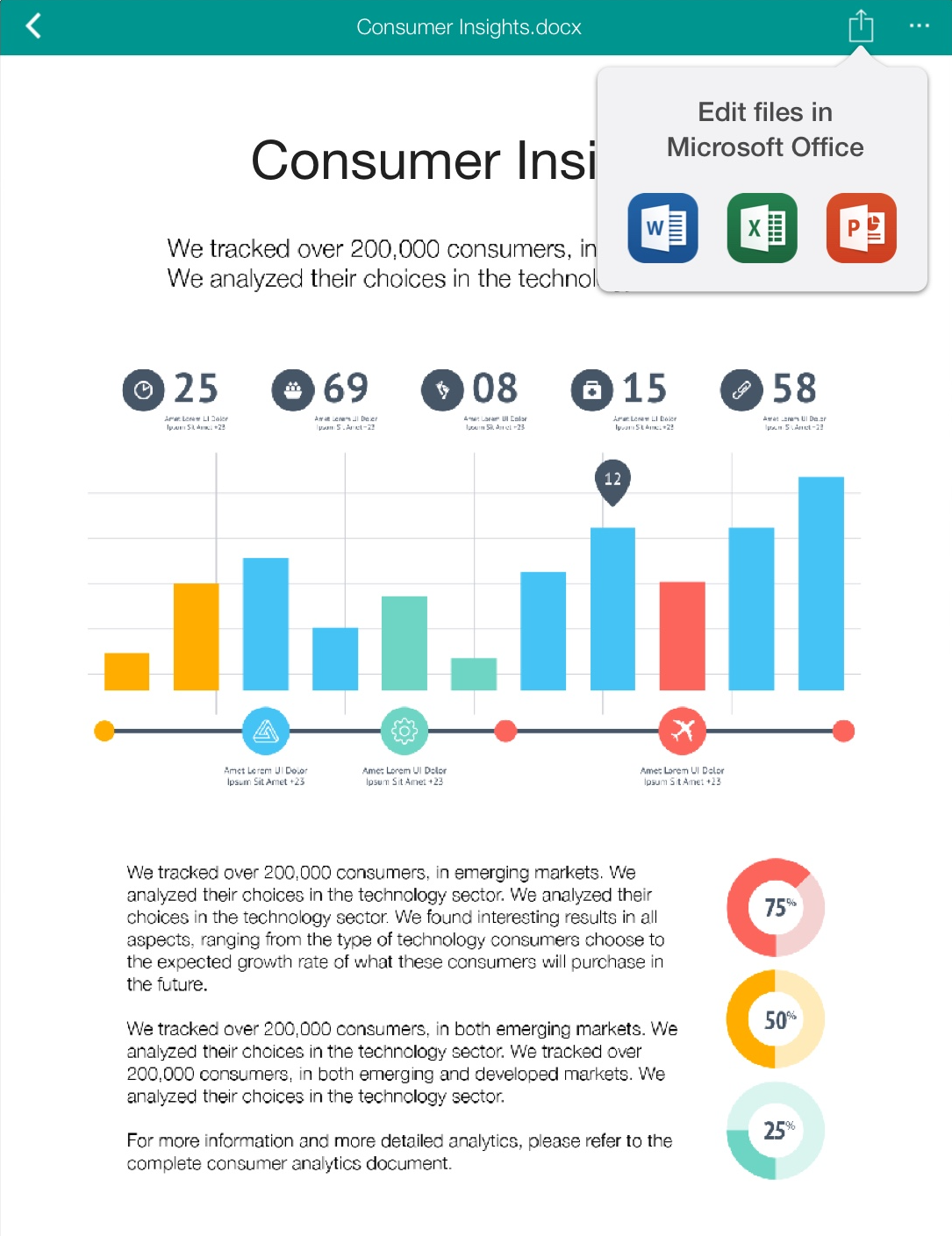
Within the Egnyte iOS app, tap on the Open-in button. A pop-up allows the user to open and edit the file directly in the corresponding Office App.
All Supported Mobile Devices
Users can add Egnyte as a document provider within the Microsoft 365 apps, allowing Egnyte files to be browsed, accessed, and edited directly within the Microsoft 365 mobile apps.
Requirements
Latest Egnyte app and Microsoft 365 mobile apps on the user’s mobile device
Microsoft requires a paid 365 for Business subscription to edit files (read-only preview mode has no charge)
Resources
Egnyte Mobile Apps for Microsoft 365 Integrations
Egnyte for SharePoint Online
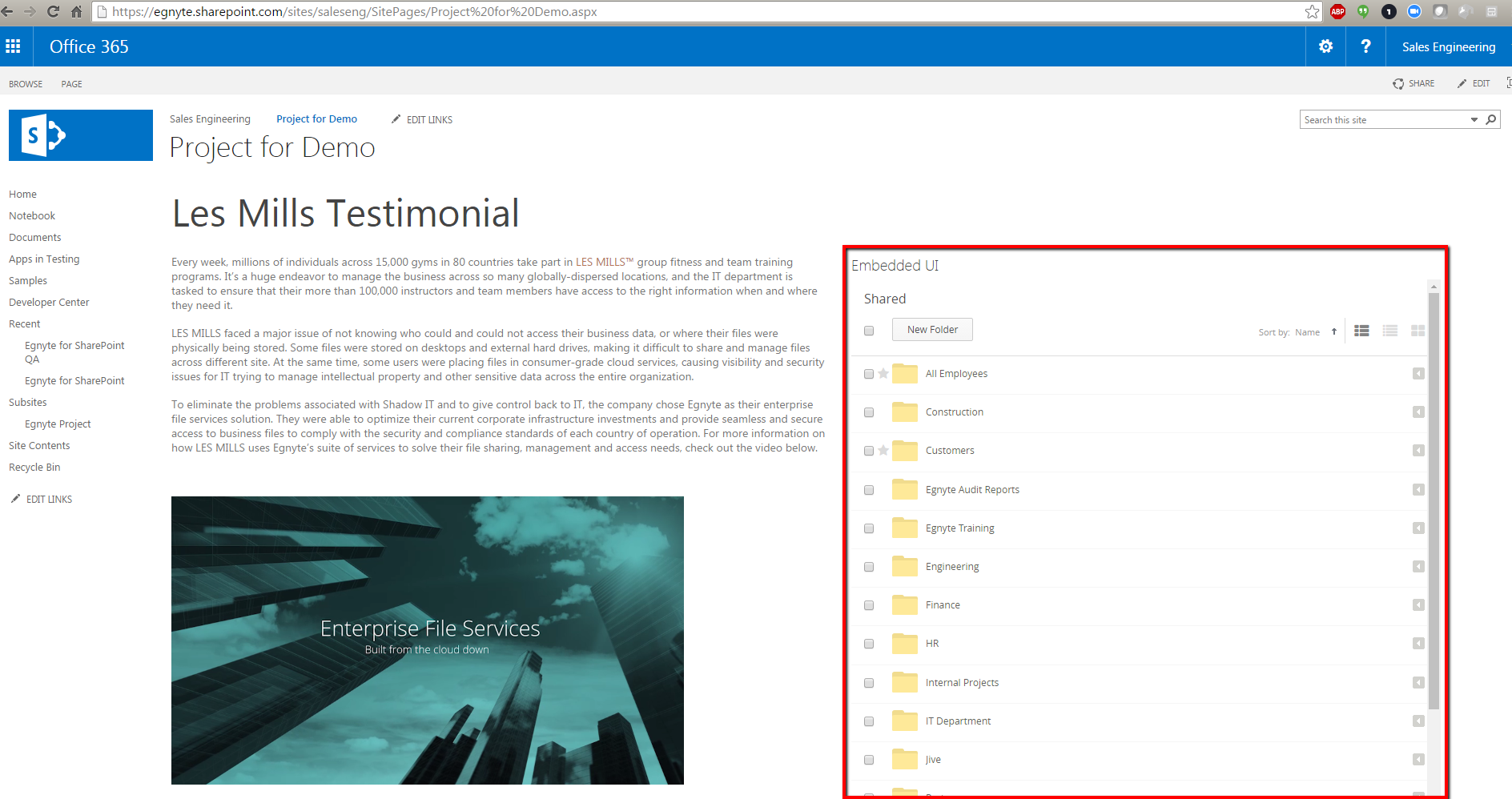
The Egnyte for SharePoint Online integration allows you to embed your Egnyte file server within the SharePoint site. Utilize all of the features of the Egnyte Web UI to manage your files. The directly embedded Egnyte interface ensures that your SharePoint documentation always reflects the most up-to-date information without having to constantly replace and re-upload the file to SharePoint.
Embedded View
Embed the Egnyte Web UI on a SharePoint Site page.
Fullscreen View
Utilize a full-screen view of the Egnyte Web UI by clicking on the Egnyte App in Site Contents.
Requirements
- Admin permission enabled for Microsoft 365 Online application
-
Office 365 for Business subscription
Resources
Egnyte's Microsoft Power Automate Integration