An Egnyte account comes with a specific amount of total storage allocated based on the plan. A maximum storage email indicates that the account has exceeded its total storage limit. The total storage amount includes all shared and private files and folders for all administrators and power users on the account, files in the trash, and file versions. To avoid overage charges, either upgrade the plan or reduce the amount of data stored in the account.
In order to provide the customers with visibility into domain usage, Egnyte also sends a monthly usage report to all the active admins of the domain to keep them informed about the usage of their domain. The admins are requested to review this usage report and take the necessary actions particularly when the domain is near the usage limits.
Please note that this monthly usage report is sent via email notification to all the active admins within the domain (trial domains are excluded) only if one of the following conditions are met.
- The domain has at least 100 active users OR
- At least 40% of the total users subscribed within the domain are active.
What Should I Do?
Plan Upgrade
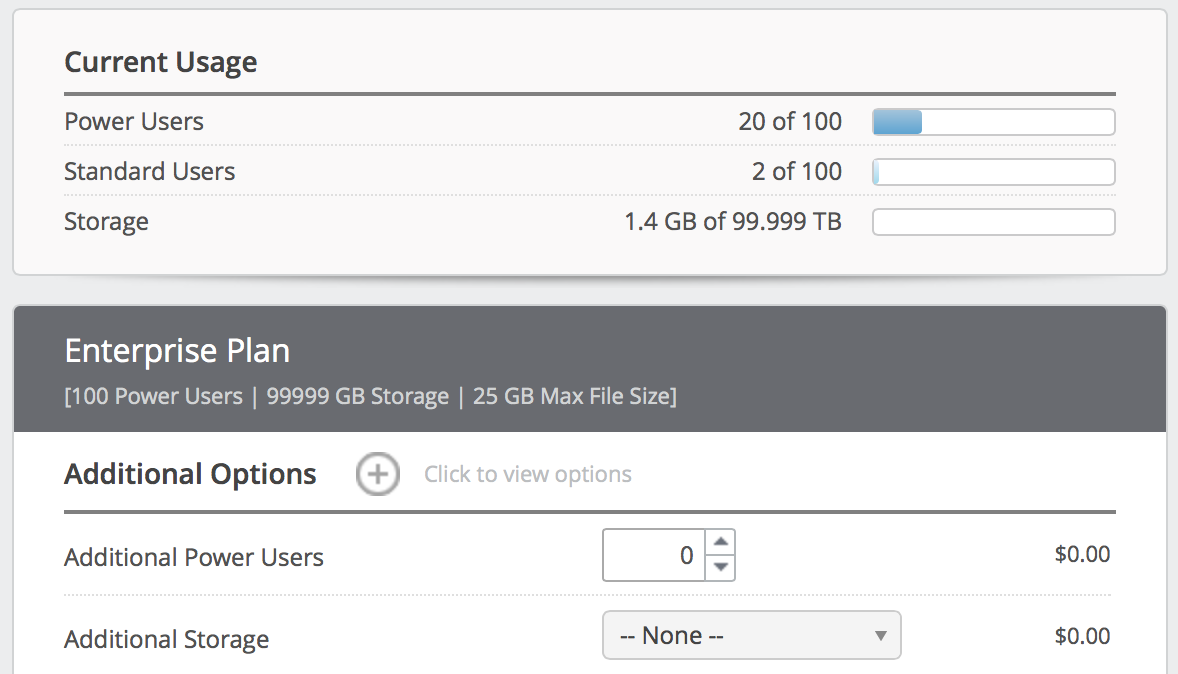
Administrators can refer to the Plan Details page in the Web UI to find information about their account’s current usage and plan. Egnyte Team plans have a default online storage limit of 1 TB. Egnyte Business plans and higher are provisioned with different storage allocations, as specified in customer contracts.
For more information on upgrading an Egnyte plan, refer to the plan page or contact the Egnyte account manager. Generally, customers are advised to either upgrade to a higher plan or purchase additional storage directly.
Remove Files From the Account
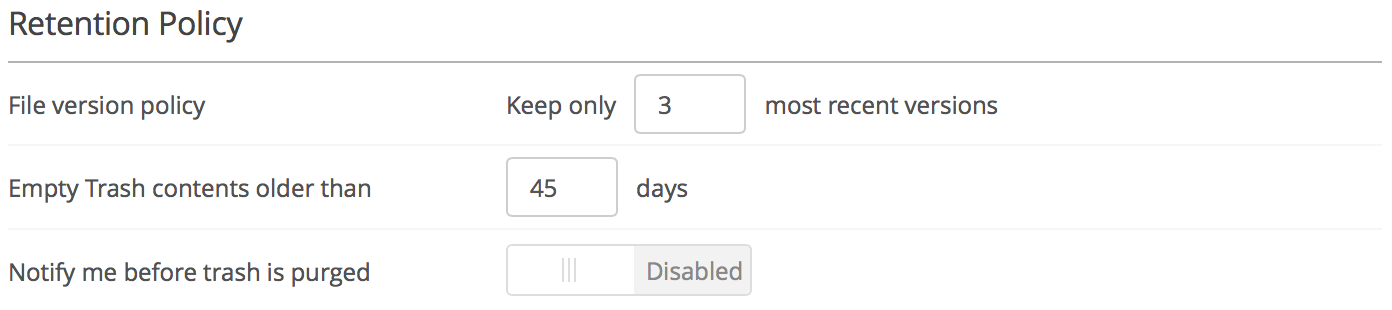
Overage charges can also be avoided by bringing the total storage below the limit. Suggestions to reduce storage include clearing the trash more frequently, removing old versions of a file, and deleting outdated folders. Administrators can configure the Retention Policy in the Web UI to automate emptying the trash and limiting the number of file versions. For more information on deleting files, refer to this article on the Helpdesk.